


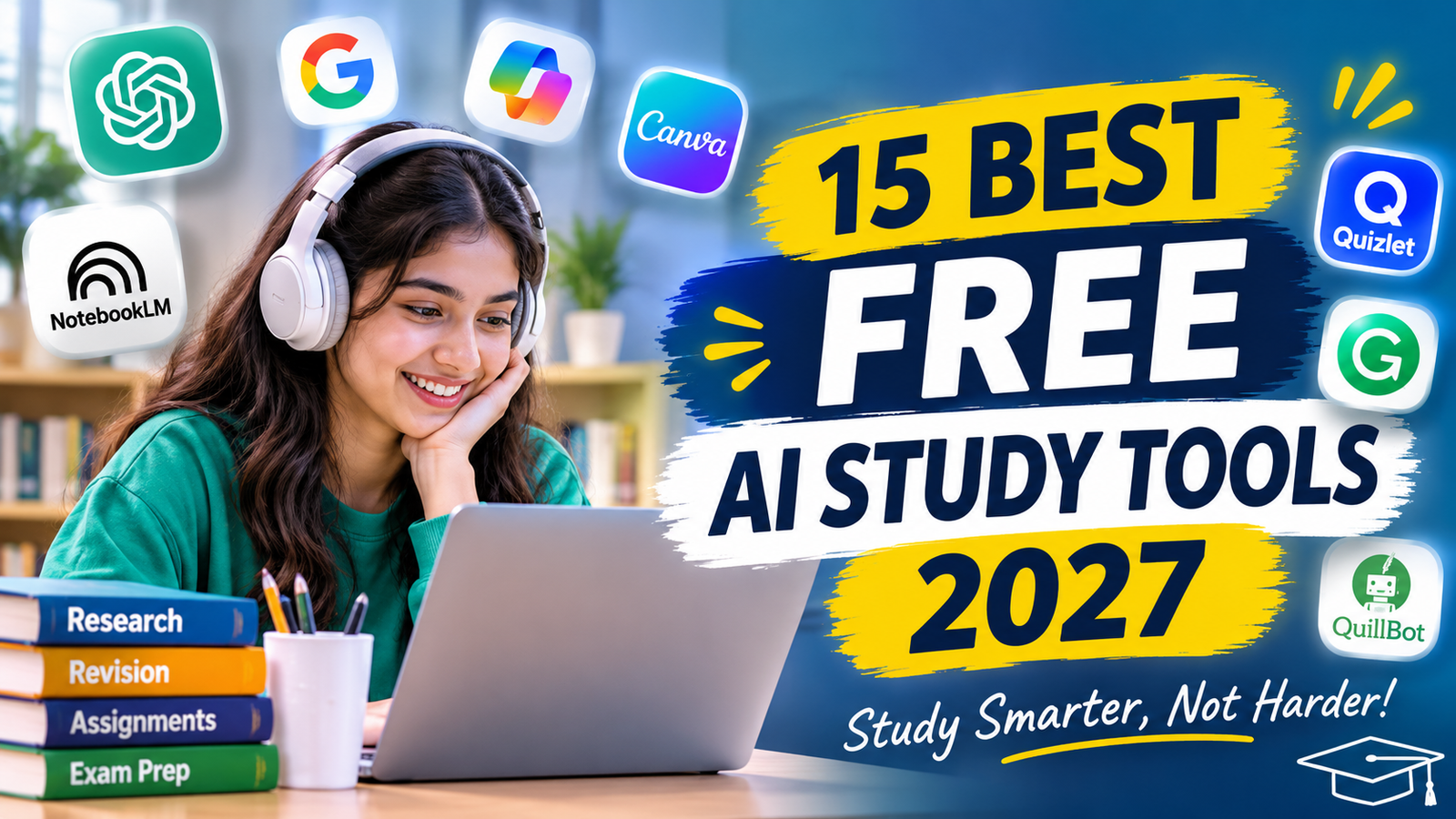
15 Best Free AI Study Tools 2027 : Study Smarter Without Spending Money
Artificial intelligence is changing the way students study, prepare for examinations and complete academic projects. Tasks that once required hours of searching, writing and organising can now become easier with the help of AI-powered platforms.
Today, students can use free AI study tools to understand difficult concepts, create revision notes, summarise lengthy PDFs, improve writing skills and prepare for examinations. These tools are especially useful for school students, college students and anyone who wants to make learning more organised without immediately paying for expensive software.
Whether you are preparing for board examinations, studying for a university degree or working on a college assignment, the right AI assistant can support your learning journey.
The best part is that many AI platforms offer free plans or free features that students can explore. Although some advanced features may require payment, you can still accomplish several everyday academic tasks without purchasing a subscription.
In this article, we will explore 15 useful free AI study tools, their features, practical uses, limitations and tips for choosing the right tools for your education.
Quick List: Best Free AI Study Tools in 2026
Here is a quick overview of AI platforms that students can explore.
| AI Tool | Best For | Main Purpose |
|---|---|---|
| ChatGPT | Study assistance | Explaining concepts and practice questions |
| Google Gemini | Learning support | Understanding topics and brainstorming |
| Microsoft Copilot | General productivity | Research and explanations |
| Perplexity AI | Research | Discovering information and sources |
| NotebookLM | Study notes | Summarising uploaded documents |
| Claude | Reading and writing | Understanding lengthy content |
| Quizlet | Revision | Flashcards and practice |
| Grammarly | Grammar | Improving written communication |
| QuillBot | Summarisation | Rewriting and shortening text |
| Canva | Presentations | Designing educational content |
| Gamma | Slide creation | Building visual presentations |
| Photomath | Mathematics | Understanding maths problems |
| Wolfram Alpha | Calculations | Mathematical and scientific queries |
| Socratic | Subject learning | Exploring academic questions |
| Otter.ai | Lecture notes | Audio transcription and summaries |
Free access, usage limits and available features vary by platform, region and account. Some tools offer limited free plans rather than completely free unlimited access.
1. ChatGPT – Free AI Study Assistant
Website: https://chatgpt.com/
ChatGPT is one of the most versatile free AI study tools available to students. It can help explain difficult subjects, organise study material, generate practice questions and provide additional examples.
Students do not always understand a topic after reading it once in a textbook. ChatGPT can provide another explanation in simpler language, helping learners approach the same concept from a different perspective.
Key Features
- Explains academic concepts in simple language.
- Helps create revision notes.
- Generates practice questions and quizzes.
- Supports brainstorming for assignments.
- Helps organise study schedules.
- Answers follow-up questions.
How Students Can Use ChatGPT
Imagine you are studying economics and cannot understand the concept of inflation. You can ask ChatGPT to explain inflation using everyday examples, compare it with deflation and prepare five questions to test your knowledge.
Example prompt:
“Explain inflation in simple language with three real-life examples. Prepare short revision notes and five multiple-choice questions for a college student.”
ChatGPT also offers Study Mode, which is designed to guide learning through questions, explanations and step-by-step support.
Best for: Concept explanations, revision, brainstorming and interactive learning.
2. Google Gemini – Free AI Learning Support
Website: https://gemini.google.com/
Google Gemini is another useful platform for students who want help understanding topics, exploring ideas and organising information.
It offers a conversational AI experience in which students can ask questions, request examples and explore subjects through follow-up discussions.
Key Features
- Helps explain complicated topics.
- Supports brainstorming.
- Summarises information.
- Generates ideas for assignments.
- Helps organise study material.
- Supports learning through follow-up questions.
How Students Can Use Gemini
A commerce student preparing for a business studies examination can ask Gemini to explain management principles, create revision points and generate practice questions.
Example prompt:
“Explain the five functions of management in simple English. Give practical examples and prepare ten revision questions.”
Best for: Learning support, topic explanations and academic brainstorming.
3. Microsoft Copilot – AI for Research and Productivity
Website: https://copilot.microsoft.com/
Microsoft Copilot can help students explore topics, organise information and complete everyday productivity tasks.
It can be useful when students need a starting point for research, want to understand a subject or need help organising ideas for an assignment.
Key Features
- Answers general questions.
- Helps explain academic topics.
- Supports brainstorming.
- Assists with writing and summarisation.
- Integrates with supported Microsoft products and services, depending on the account and plan.
How Students Can Use Copilot
Suppose you are preparing a college project about digital marketing. You can ask Copilot to explain important digital marketing channels, suggest a project structure and identify topics that require further research.
Always verify factual information and references before including them in your assignment.
Best for: General research, productivity and organising academic ideas.
4. Perplexity AI – Free AI Academic Research Assistant
Website: https://www.perplexity.ai/
Research is an important part of education. Students often need information from different sources before writing reports, preparing projects or creating presentations.
Perplexity AI can help explore questions and provide answers with links to relevant sources. Its free access can be useful for initial research and discovering additional reading material.
Key Features
- Provides answers with linked sources.
- Helps explore unfamiliar topics.
- Supports follow-up research questions.
- Organises information into readable responses.
- Helps discover relevant reading material.
How Students Can Use Perplexity
A student working on a project about artificial intelligence in education can ask Perplexity to explain important developments and identify relevant research sources.
Example prompt:
“Explain how artificial intelligence is changing education. Include important developments, examples and links to useful sources.”
Remember to open the original sources and check whether they support the information you plan to use.
Best for: Research discovery, source exploration and academic background reading.
5. NotebookLM – Free AI PDF Summarizer and Note-Taking Tool
Website: https://notebooklm.google/
Students regularly work with lengthy PDFs, lecture notes, textbooks and presentations. Reading every document repeatedly can take a considerable amount of time.
NotebookLM helps students work with their own uploaded sources. It can summarise supported documents, answer questions based on source material and organise information for revision.
Key Features
- Works with supported uploaded documents.
- Helps summarise lengthy study material.
- Answers questions using provided sources.
- Organises information into useful summaries.
- Supports study-oriented content creation.
How Students Can Use NotebookLM
Suppose you have a 50-page PDF containing business studies notes. You can add the document to NotebookLM and ask it to summarise the important topics.
Example prompt:
“Summarise this document chapter by chapter. Highlight important definitions, key concepts and questions that I should practise.”
This makes NotebookLM particularly useful for students who regularly study using digital documents.
Best for: PDF summaries, document analysis and organised revision notes.
6. Claude – AI Reading and Writing Assistant
Website: https://claude.ai/
Claude is an AI assistant that can help students understand lengthy content, organise ideas and improve written explanations.
It can be useful for reviewing study material, discussing difficult concepts and developing an outline for an academic project.
Key Features
- Explains complex information.
- Helps organise lengthy text.
- Supports brainstorming.
- Assists with writing and editing.
- Answers questions about supported uploaded documents.
How Students Can Use Claude
A student can provide a set of study notes and request a simplified explanation of the most important concepts.
Example prompt:
“Explain this chapter in beginner-friendly language. Organise the information into headings, definitions and short revision points.”
Best for: Reading assistance, writing support and understanding lengthy material.
7. Quizlet – Free AI Flashcard and Revision Tool
Website: https://quizlet.com/
Remembering definitions, formulas and important terms is a regular challenge for students. Quizlet provides digital flashcards and learning activities that can support revision.
Students can create study sets and practise recalling information instead of simply reading the same notes repeatedly.
Key Features
- Digital flashcards.
- Practice activities.
- Vocabulary revision.
- Topic-based study sets.
- Learning and memorisation support.
How Students Can Use Quizlet
A student preparing for an accounting examination can create flashcards containing accounting terms, formulas and definitions.
They can revise these cards regularly and test their understanding.
Best for: Memorisation, revision and flashcard-based learning.
8. Grammarly – Free AI Grammar Checker
Website: https://www.grammarly.com/
Good writing is important for assignments, essays, reports and professional communication. Grammarly helps students identify grammar, spelling and punctuation mistakes.
Its free features can be useful for reviewing written work before submission.
Key Features
- Grammar suggestions.
- Spelling corrections.
- Punctuation checking.
- Sentence clarity suggestions.
- Writing improvement support.
How Students Can Use Grammarly
After completing an assignment introduction, students can review it using Grammarly to identify common language mistakes.
The aim should be to improve writing skills rather than depend entirely on automated corrections.
Best for: Grammar correction, proofreading and clearer writing.
9. QuillBot – Free AI Summarisation and Paraphrasing Tool
Website: https://quillbot.com/
QuillBot provides writing tools that can help students summarise lengthy text, explore alternative sentence structures and improve readability.
It can be useful when preparing revision notes from lengthy reading material.
Key Features
- Paraphrasing assistance.
- Text summarisation.
- Grammar checking.
- Sentence improvement suggestions.
- Writing support.
How Students Can Use QuillBot
Suppose you have a long paragraph about the importance of marketing. You can use a summarisation feature to identify the central points and create shorter revision notes.
Always acknowledge original sources. Paraphrasing does not remove the need for proper citation.
Best for: Summarisation, writing assistance and revision.
10. Canva – Free AI Presentation and Design Tool
Website: https://www.canva.com/
Students often need to create presentations, posters, infographics and visual assignments. Canva provides design tools and templates that make these tasks easier.
Some AI-powered design features may be available with usage limits or paid plans.
Key Features
- Presentation templates.
- Poster creation.
- Infographic design.
- Educational graphics.
- Visual project layouts.
How Students Can Use Canva
A student preparing a presentation on environmental protection can use Canva to create organised slides with headings, images and important information.
Best for: Presentations, posters, infographics and visual assignments.
11. Gamma – AI Presentation Generator
Website: https://gamma.app/
Gamma helps students organise information into visual presentations and documents. It can turn an outline or topic into a structured starting point that students can edit.
Key Features
- Presentation structure creation.
- Visual slide layouts.
- Content organisation.
- Editable presentation sections.
- Support for visual storytelling.
How Students Can Use Gamma
For a college project about entrepreneurship, a student can provide an outline containing the meaning, importance, challenges and examples of entrepreneurship.
Gamma can help organise the content into presentation sections.
Best for: Slide creation, presentation outlines and visual projects.
12. Photomath – AI-Assisted Mathematics Learning
Website: https://photomath.com/
Mathematics can be challenging when students do not understand the steps involved in solving a problem.
Photomath helps learners explore mathematical problems and their solution steps using supported features.
Key Features
- Helps explain mathematical problems.
- Provides step-by-step solution support.
- Supports learning through worked examples.
- Covers various mathematical topics.
How Students Can Use Photomath
Students can use it to understand the method behind a mathematics problem and then attempt a similar question independently.
Best for: Mathematics practice and understanding solution methods.
13. Wolfram Alpha – AI-Powered Calculation and Knowledge Tool
Website: https://www.wolframalpha.com/
Wolfram Alpha is a computational knowledge platform that can help students explore mathematical, scientific and numerical questions.
It is useful when students need help checking calculations or understanding mathematical relationships.
Key Features
- Mathematical calculations.
- Equation exploration.
- Scientific queries.
- Data and numerical analysis.
- Support for various academic subjects.
How Students Can Use Wolfram Alpha
A student studying mathematics can enter an equation to explore its solution and related mathematical information.
Use the result to understand the method rather than simply copying the answer.
Best for: Calculations, mathematics and scientific learning.
14. Socratic – AI-Assisted Subject Learning
Website: https://socratic.org/
Socratic is an educational learning resource associated with Google. It has been used to help students explore academic questions and find explanations across subjects.
Its current availability and supported features may vary, so check the official service before relying on it.
Key Features
- Subject-based learning support.
- Explanations for academic questions.
- Learning resources.
- Support for exploring unfamiliar topics.
How Students Can Use Socratic
Students can use educational explanations to explore topics they find difficult and then revisit the subject in their textbook.
Best for: Exploring academic questions and subject explanations.
15. Otter.ai – AI Lecture Transcription and Note-Taking
Website: https://otter.ai/
Students sometimes find it difficult to write notes while listening to a fast-paced lecture. Otter.ai offers audio transcription features that can help turn supported recordings into text.
Key Features
- Audio-to-text transcription.
- Searchable transcripts.
- Conversation summaries.
- Organised notes.
- Review of recorded discussions.
How Students Can Use Otter.ai
Students can use a permitted recording of a lecture to create a transcript and review important points later.
Always obtain permission before recording teachers, classmates or classroom discussions. Follow your institution’s privacy policies.
Best for: Lecture transcription and reviewing recorded discussions.
Benefits of Using Free AI Study Tools
AI tools can support students in several ways. Their main advantage is that they can make some learning activities more flexible and organised.
1. Save Time on Routine Study Tasks
Students can use AI to organise notes, summarise supported documents and create practice questions. This can reduce time spent on repetitive preparation.
2. Understand Difficult Concepts
If a textbook explanation is difficult to understand, students can request another explanation with simple examples.
3. Improve Writing Skills
Grammar assistants can identify spelling, punctuation and sentence clarity issues. Reviewing these suggestions can help students improve their writing over time.
4. Make Revision More Interactive
Flashcards, quizzes and practice questions allow students to test their understanding rather than only reread notes.
5. Support Independent Learning
Students can explore topics, ask follow-up questions and practise concepts outside classroom hours.
6. Prepare Better Presentations
AI-powered design platforms can help organise information and create visual presentations for academic projects.
How to Choose the Right Free AI Study Tools
With so many platforms available, students do not need to use every tool. The best choice depends on their subject, learning requirements and daily study routine.
| Student Requirement | Recommended Tool |
|---|---|
| Understanding difficult concepts | ChatGPT |
| Learning and brainstorming | Google Gemini |
| General productivity | Microsoft Copilot |
| Academic research | Perplexity AI |
| PDF summarisation | NotebookLM |
| Reading and writing | Claude |
| Flashcards and revision | Quizlet |
| Grammar correction | Grammarly |
| Text summarisation | QuillBot |
| Designing presentations | Canva |
| Creating slides | Gamma |
| Mathematics practice | Photomath |
| Scientific calculations | Wolfram Alpha |
| Exploring academic topics | Socratic |
| Lecture transcription | Otter.ai |
Start with two or three tools that solve your most common academic problems. You can explore other platforms when your study requirements change.
How to Use Free AI Study Tools for Exam Preparation
AI can be a useful part of an examination preparation routine when combined with textbooks, classroom learning and independent practice.
Here is a simple workflow:
Step 1: Understand the syllabus
Divide your syllabus into smaller topics and identify the subjects that need more attention.
Step 2: Learn difficult concepts
Use ChatGPT or Gemini to request simple explanations and practical examples.
Step 3: Prepare revision notes
Use NotebookLM to review supported documents and organise important information.
Step 4: Practise questions
Ask ChatGPT to create practice questions based on your syllabus. Attempt the questions independently before checking the explanations.
Step 5: Revise important terms
Use Quizlet to practise definitions, formulas and key concepts.
Step 6: Review your writing
Use Grammarly to identify grammar and spelling mistakes in your practice answers.
Step 7: Test yourself
Close your notes and explain the topic in your own words. This helps you identify areas that require more revision
.
Are Free AI Study Tools Better Than Paid AI Tools?
Free and paid AI tools both have advantages. The right choice depends on how frequently you use them and which features you require.
| Factor | Free Plans | Paid Plans |
|---|---|---|
| Cost | No subscription cost | Requires payment |
| Usage | Often limited | Usually higher limits |
| Features | Basic or selected features | May include advanced features |
| Access | May have restrictions | May offer additional access |
| Student suitability | Good starting point | Useful for frequent or specialised use |
For most students who are just starting with AI, free plans are a sensible option.
Do not purchase a subscription simply because a tool is popular. First identify the academic problem you want to solve and check whether the free version is sufficient.
Important Tips for Using AI in Education
AI tools can make learning easier, but students should use them responsibly.
Verify information: AI-generated responses can contain mistakes. Check important facts, formulas, statistics and references.
Avoid blind copying: Use AI to understand topics and organise your ideas. Prepare your final assignments using your own understanding.
Protect personal information: Avoid uploading sensitive documents or personal academic records without understanding the platform’s privacy practices.
Follow academic rules: Check your institution’s policies regarding AI assistance in assignments, examinations and research.
Practise independently: Read textbooks, solve questions and explain concepts in your own words. AI should support learning rather than replace it.
Frequently Asked Questions (FAQs)
1. What are the best free AI study tools for students?
Some useful options include ChatGPT, Google Gemini, Microsoft Copilot, Perplexity AI, NotebookLM, Quizlet, Grammarly and Canva. Their free features vary, so choose according to your learning requirements.
2. Which free AI tool is best for making study notes?
NotebookLM is useful for working with uploaded study documents and preparing summaries. ChatGPT can also help organise information into topic-wise revision notes.
3. Which AI tool is best for exam preparation?
ChatGPT can help explain concepts and generate practice questions, while Quizlet can support revision through flashcards. Combining these tools with regular textbook study can make preparation more organised.
4. Can I use AI tools for college assignments?
Yes, where permitted by your institution. You can use AI to understand topics, brainstorm ideas, organise outlines and improve grammar. Always follow academic-integrity and citation requirements.
5. Are free AI tools safe for students?
Many established platforms provide privacy and security information, but students should review each provider’s policies. Avoid sharing sensitive personal information or confidential academic documents.
6. Can AI tools replace traditional studying?
No. AI tools can support explanations, revision and practice, but students still need to read, think critically, solve problems and develop their own understanding.
7. Do free AI tools have usage limits?
Many platforms provide limited free access. Limits may apply to messages, file uploads, advanced features or daily usage. Check the official website for current details.
8. Which AI tool is best for PDF summarisation?
NotebookLM is a useful option for summarising supported uploaded documents and asking questions about their content.
Conclusion: Start Learning Smarter with Free AI Study Tools
Artificial intelligence is creating new opportunities for students to improve their learning experience. From understanding difficult subjects and preparing revision notes to improving writing and designing presentations, AI platforms can support many everyday academic activities.
The best free AI study tools are the ones that solve your actual learning problems. You do not need to use all 15 platforms. Start with a few tools, explore their free features and build a study routine that works for you.
Remember that technology is most useful when combined with your own effort. Use AI to understand concepts, practise regularly, improve your skills and become a more confident learner.
Study smarter, stay curious and make technology work for your education.
-
Also read: Best AI Tools for Students in 2027